When it comes to driving decisions, generating insights, performing calculations, and organizing data, spreadsheets have been used for a very long time now. However, when datasets scale, larger calculations and tasks become more complex in Spreadsheets. When your data scales, traditional spreadsheets might feel slow, and manual calculations can turn out to be a headache. This is where AI for sheets can do the heavy lifting for you. With AI, you can transform your spreadsheets from passive data stores to active analytic engines that can automate, forecast, summarize, and even generate insights on demand.
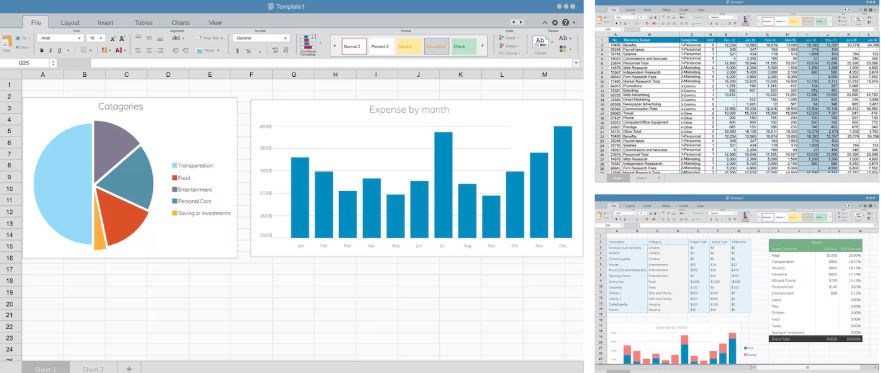
Whether you are a financial planner, business owner, marketer, or data analyst, an AI-enhanced spreadsheet in this list can help you do your work smarter and quicker. If you intend to integrate AI for sheets, you can consider the best tools listed below:
1. GPT for Work
GPT for Works is best for universal AI assistance across documents and spreadsheets.
GPT for work is a one-stop AI assistant. This platform brings the power of large language models into your workflow, including spreadsheets. Rather than manually hunting through menus or writing formulas, you can simply ask this platform to generate calculations, clean data in your spreadsheet, and even extract insights.
Why Is It a Great Addition to Sheets?
This tool is the best choice for non-technical users who need powerful AI without coding. It works across Google Sheets, Excel, and other document tools. The tool can generate summaries, explain complex data, and highlight trends. Natural language prompts that you give to this tool are automatically converted into spreadsheet formulas.
Have you ever wondered whether your spreadsheet could answer your queries? If so, AI for Sheets, offered by GPT for Work, can do the work for you.
2. Zapier Tables
Zapier Tables is ideal for AI data enrichment and automating workflows in Excel.
Zapier Tables takes spreadsheet-style sheets and adds automation and AI-infused workflows. This platform lets you automatically pull data from applications like Trello, Gmail, and Stripe into your spreadsheet. Then, using AI, you can clean or categorize the data.
Key Features
This platform has been designed to suit operational and business automation teams. It is possible to get real-time updates and integrations when you use it. It is possible to do smart classification and tagging via AI. Also, it helps with drag-and-drop automation between your tables and apps.
With Zapier Tables, your spreadsheet is not going to be a simple grid anymore. It is a connected part of your automation ecosystem.
3. Microsoft Excel with Copilot
This tool is best for enterprise AI directly inside Excel.
Microsoft has woven its Copilot AI into Excel, thereby giving you the ability to generate formulas, build pivot tables, and explain data trends with the help of simple natural language prompts. Copilot takes your questions and provides outcomes straight into the spreadsheet.
Highlights
The tool comes with built-in anomaly detection and data insights. With this tool, you can create forecasts and charts with AI guidance. It can understand what your data says in plain text and can convert text prompts to formulas instantly.
This tool is the best fit if you use Excel as part of Microsoft 365. Also, you can use this tool if you want AI to be baked straight into your spreadsheets.
4. Arctype
This AI for sheets is the best choice for collaborative spreadsheet development using AI.
Arctype brings together the familiarity of spreadsheets with database power and layers in AI to help you query, visualize, and clean data faster. You can think of it as a spreadsheet that gains insights into the structure of your data.
What Makes This Tool Useful?
It helps with automated data insights and organization. Arctype offers hassle-free connections to SQL databases. It is possible to generate a query with AI assistance on this platform. Further, the platform offers version history and real-time collaboration.
If your workflow involves team collaboration or large datasets, this platform brings smart AI, in which spreadsheets traditionally fall short.
5. SheetAI Helper Tools (Open Source)
This tool offers customizable AI add-ons for advanced users.
You should not confuse this tool with the excluded “SheetAI” platform. You will find a wide range of open-source AI tools developed by the community that plug into spreadsheets with the help of APIs like OpenAI’s. These tools are not associated with a single brand. Rather, they let advanced users customize AI workflows that fit their requirements.
What Can You Do with This Tool?
With this tool, you can integrate AI alerts and triggers. You can build custom prompt functions with it. Also, it can help you with auto-detecting data quality issues. Further, with it, you can generate contextual summaries of rows.
The speciality of this tool is flexibility. You can design your own AI sheet logic without vendor lock-in when you have this tool.
6. Notion Database + AI Blocks
This platform is best for data-driven databases with AI insights.
When you pair Notion’s AI blocks with Notion Tables, you can get a powerful handle on spreadsheet-like data. Notion can pull insights, write formulas, generate summaries from your database, and produce new entries based on prompts.
What is Added?
It works seamlessly with documentation and notes. It offers insight cards and action suggestions. You can get AI-generated calculations and filters, and the platform lets you use natural language for database commands.
This platform is best for teams that document and evaluate in one place. The tool can blend data and insights with ease.
Why Choose GPT for Work?
Among these AI for sheets tools, GPT for Work is the best. The reason is that it is versatile and easy to use. Further, it offers deep integration across productivity platforms. Compared to tools that focus solely on database-style functionality or automation, GPT for Work turns your spreadsheet into a true AI Assistant that understands natural language and generates complex formulas instantly. You can explain data trends in plain English and help clean or transform datasets without needing technical expertise from your end.
The platform bridges the gap between advanced AI capabilities and daily spreadsheet users, making powerful analysis accessible to business owners, analysts, finance teams, and marketers alike. Rather than forcing users to adapt to rigid workflows, GPT for Work adapts to how you already work, thereby making it not simply a spreadsheet enhancer but a tool to multiply your productivity across your whole workflow.