SPONSORED CONTENT -- (StatePoint) October is Cybersecurity Awareness Month, a reminder that staying safe online starts with understanding how cybercriminals operate. One of the most common scam tactics is social engineering, which uses manipulation to gain access to information, accounts or money.
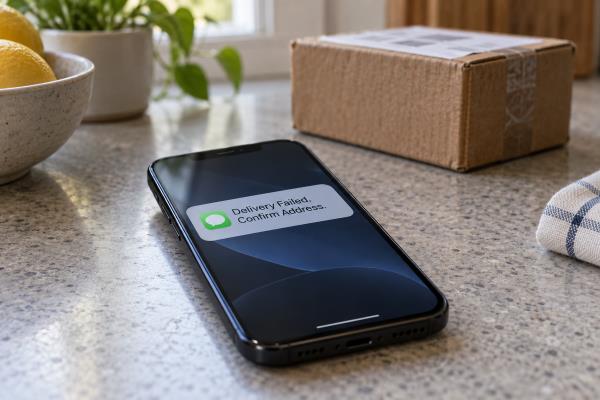
Imagine receiving a text that appears to come from your bank claiming your account has been locked. The message urges you to click a link immediately to restore access. Instead, the link leads to a fake website designed to capture your username, password or authentication code.
Social engineering succeeds because it exploits normal human instincts -- trust, fear, curiosity or urgency -- to persuade you to act before verifying a request. Awareness and preparedness can help you recognize and avoid social engineering scams.
What to Know About Social Engineering
It takes many forms. Social engineers may contact you via email (phishing), texts (smishing), phone calls (vishing), social media or fake websites to trick you into sharing sensitive information or clicking malicious links. They may use publicly available information or impersonation tactics to pose as trusted organizations, colleagues, friends or family members.
Scammers often create urgency. Unexpected requests that demand immediate action are often a warning sign.
The goal is often access. Social engineers may seek passwords, financial information, account access or money.
The Anatomy of a Social Engineering Scam
• Contact: You receive an email, text, call or social media message.
• Trust: The message appears to come from a trusted source.
• Urgency: You’re pressured to act quickly or keep the request confidential, so you don’t stop to verify it.
• Request: You’re asked to click, share information, download software or send money.
• Compromise: The attacker gains access to information, accounts or funds.
Five Ways to Protect Yourself
• Pause and verify unexpected requests through a trusted second source before responding.
• Be cautious when clicking links in emails and texts.
• Watch for urgency and emotional pressure.
• Protect your accounts with multi-factor authentication (MFA) and strong passwords.
• Keep devices and software updated.
“Cybersecurity Awareness Month encourages all of us to be more intentional about our digital habits,” said Christian Winward, chief information security officer at PNC Bank. “Social engineering attacks are designed to influence you into acting without caution, so strengthening account security and taking a moment to verify unexpected requests can help you better protect your personal and financial information.”
Simple Steps to Strengthen Your Security
Because many social engineering attacks are designed to steal login credentials, MFA adds an extra layer of protection if a password is compromised. MFA can be enabled in just a few minutes on many email, financial, shopping and social media accounts.
If you receive an unexpected authentication request, pause before approving it. Take a moment to confirm the request is legitimate through a trusted source. Legitimate organizations generally will not ask you to share authentication codes or verification details.
Helping customers and communities recognize fraud and cybersecurity threats is part of PNC’s ongoing commitment to security awareness and education. For more information on best practices to help increase your awareness and preparedness, visit the Security & Privacy Center on PNC’s website.
While scam tactics continue to evolve, most social engineering attacks follow the same pattern: establish trust, create urgency and encourage quick action. Recognizing those warning signs can help stop a scam before information or money is lost. This Cybersecurity Awareness Month, enable MFA, review your account security settings and build the habit of verifying unexpected requests before responding.
*****