
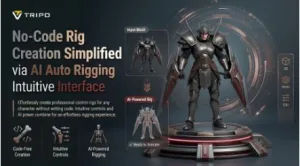
The 3D content creation is rapidly expanding in the world of games and animation production. Manual rigging complexity and technical limitations are a challenge for beginners. Tripo 3D introduces AI Auto Rigging systems, which make the skeleton creation and skinning easier. Easy-to-use interfaces to prepare assets on a variety of models. This reduces the friction associated with setup and allows faster animation readiness. Today’s creators have workflows that are streamlined and save them a lot of technical overhead.
Understanding No-Code Rig Creation
No-code rig creation eliminates tedious technical rigging steps from character animation preparation pipelines. This can be done with Tripo 3D with automated skeleton setup and skinning. Artists can concentrate on storytelling, rather than manual rig configuration tasks. Traditional rigging is often technically complex and typically requires working across multiple 3D applications, depending on the production pipeline. Today, automated systems make workflow easier for novice users entering animation production. Tripo 3D is a good option to connect model generation and rigging into one pipeline. This switch will make it easier for digital artists and game developers around the world to access. Automation reduces repetitive rigging operations and reduces learning curves. Tripo 3D automation tools help to enhance pipeline consistency across projects. Simple interfaces reduce the need for rigging skills. Tripo 3D can help improve onboarding speed for new animation creators by simplifying initial setup and reducing technical steps. This enables us to try out character design without technical restrictions.
The Interface Design Principles Behind AI Auto Rigging
Tripo 3D’s interface design focuses on guided workflows to make the process of rig creation smoother. The steps are arranged in a sensible order, which reduces confusion while performing the steps. AI Auto Rigging includes automation of the skeleton generation and skin weighting processes. Also, it allows 2d to 3d transformation workflows for character development pipelines. User interfaces are kept simple, and there are not many things to change for new users. Technical operations are automated, and flexible control options are available. Tripo 3D provides visual feedback during rig generation to support better evaluation and iterative adjustments. This framework can accelerate the process of new creators getting into the animation industry. Guided design systems are used to help users through the complex rigging steps. Tripo 3D minimizes the need for manual adjustments during setup phases. When creating rigs, decisions can be made with real-time previews. Tripo 3D’s modern interfaces reduce the cognitive effort of complex rigging tasks.
Steps to No-Code Rig Creation Simplified via AI Auto Rigging Intuitive Interface
Step 1: Start the Rigging Workflow Easily
- First, you need to access Tripo 3D and signup. Next, go to the “Animate” tab present in the vertical left menu bar.
- Next, upload the model by clicking “Upload 3D Model” or select an existing model from the assets menu present on the extreme right vertical menu.
Step 2: Generate Character Rigs Without Coding
- Choose the model from the “AI Model” menu. Model v2.5 is good for animals, and model v1.0 is good for Humanoid. Select anyone depending on your needs.
- After selecting the model, click on the “Auto Rig” tab. The tool starts the rigging process. Make sure your model is textured before you rig.
- Next, select the animation style from the menu presented below. You can choose “afraid”, “agree”, “angry”, “clap”, “climb”, “cry”, “dance”, etc.
- The selected animation will be applied within a few seconds.
Step 3: Adjust and Export the Finished Character
- You can also edit the “Environment Settings” and camera settings through “Reset Camera”.
- If you want, you can 3D print the design, or you can also share directly by clicking “3D Print”. You can also “Refine” your design right through the bottom menu.
- In the end, click on the “Export” tab from the bottom menu. Next, choose the resolution, format, and filename, and click again on “Export” to save the design to your local device.
Features That Simplify No-Code Rigging
Tripo 3D provides multiple features that make the no-code rigging process easier for creators. These features allow for reduced manual setup and improved animation workflow for a range of models. All the features contribute to faster rig generation and ease of use. These features are in line with the intuitive workflows within the Tripo 3D environment. When creating characters, it’s made easier for beginners. For experienced users, iteration for animation testing workflows is accelerated. Pipeline integration facilitates smooth asset transfer between important 3D applications.
- Automatic Skeleton Detection: Detect the joints of human, animal, and stylized characters.
- One-Click Rig Generation: Rigging process with fewer requirements for user input.
- Integrated Animation Selection: Motion presets are automatically applied after the rig is created.
- Visual Interface Layout: Organizes the tools into convenient sections.
- Multi-Format Compatibility: Compatible with common Blender, Maya, Unity, and Unreal formats.
- Quick Export Process: Allows for a speedy export of assets to downstream pipelines.
Benefits of No-Code Rigging for Different Asset Types
Tripo 3D is able to handle multiple asset categories for animation workflows with no-code rigging. Different types of characters will require different skinning and skeleton structures that will be flexible. Humanoid characters take advantage of quicker animation setup and pose testing. Animal models have mobile joint structures and conduct natural motion behavior. It also supports free 3d models, making it more convenient for creators to use. Support for unique skeletal configurations for stylized/fantasy designs—structured rig layouts for mechanical characters, with precise movement control. Tripo 3D makes uniform animation ready for various asset libraries. With Tripo 3D, you can have scalable pipelines of assets for various scales of projects. Uniform rigs allow re-use in various animation situations. These systems can contribute to improving the consistency of large animation libraries and datasets.
Workflow Efficiency Gains Through Tripo 3D
Tripo 3D helps to automate repetitive animation preparation tasks, enhancing workflow efficiency. Automates the steps to create the skeletons and to set the skin weights. Teams have quicker iteration cycles between modeling and animation. AI auto rigging speeds up the process of creating skeletons for different character designs. When scaled, asset preparation is more organized and streamlined. Seamless integration with popular software such as Blender and Unity enhances workflow. Fast previewing to check the animation movement before deciding on export. Tripo 3D makes production pipelines more efficient and minimizes technical bottlenecks. Manual workload is decreased, and more time can be spent on the creative animation decisions. Tripo 3D offers a standard rigging output between teams, enhancing collaboration. Tripo 3D allows for scalable animation workflows to adapt to changing project needs. Scalable pipelines enable the same rigs to be used for a variety of digital production requirements. Tripo 3D minimizes friction between the modeling, rigging, and animation phases.
Important Considerations When Using No-Code Rigging
Model quality is one of the important factors that will affect the rigging results of a Tripo 3D workflow. Good topology and mesh structure will assist in the accuracy of the placement of the skeleton. During the rig evaluation, it is important to consider the joint alignment and the deformation behavior. Animation testing can be used to detect problems prior to exporting final assets. External tools may not be compatible, depending on the export format. Tripo 3D provides tweaks to help optimize the behavior of rigs and animation stability. Export planning will help to make the integration with downstream pipelines smoother. Reviewing the right way minimizes inconsistencies in the process of developing an animation. Proper preprocessing for better overall rig stability throughout animation cycles. Iterative refinement is possible in complex character setups with Tripo 3D workflows.
Conclusion
In modern 3D workflows, rigging systems are streamlined through the use of AI tools to prepare characters. Tripo 3D is a combination of modeling, rigging, and animation in a single pipeline. Its intuitive interface makes it simpler for both novices and experienced developers to use. Technical barriers are minimized, and automated processes support flexible creative exploration. Structured workflows can speed up asset preparation for a variety of animation uses. No-code methods can be used to engage a broader audience to create animation and interactive media.