-- Originally posted on: https://pickthe.games/blog/what-is-pickthegames
We get this question a lot, usually from someone whose friend sent them a link with no explanation. So here it is, the full answer.
PickThe.Games is a free website that helps groups of friends figure out what to play together. You create a board, invite your friends, everyone swipes through games, and it finds the overlap: the games you all want to play, on platforms you all own, that actually work together online.
That last part matters more than it sounds. Owning the same game is not the same as being able to play it together.
The problem it exists to solve
Every gaming group has had this conversation. Someone asks "what should we play tonight?" in the group chat. Someone suggests a game. Two people own it, one doesn't. Someone else is on PS5 while everyone else is on PC, and nobody is sure whether crossplay works for that specific game. Twenty minutes later you're playing the same game you always play.
The information you need to break that loop exists, it's just scattered. Who owns what, who's on which platform, which games support crossplay between those exact platforms, and what everyone is actually in the mood for. PickThe.Games puts all of that in one place and does the cross-referencing for you.
How it works
You create a board for your group and send your friends an invite link. Everyone sets their platforms, then swipes through game cards on their own time: yes, maybe, no, or ban if you never want to see a game suggested again.
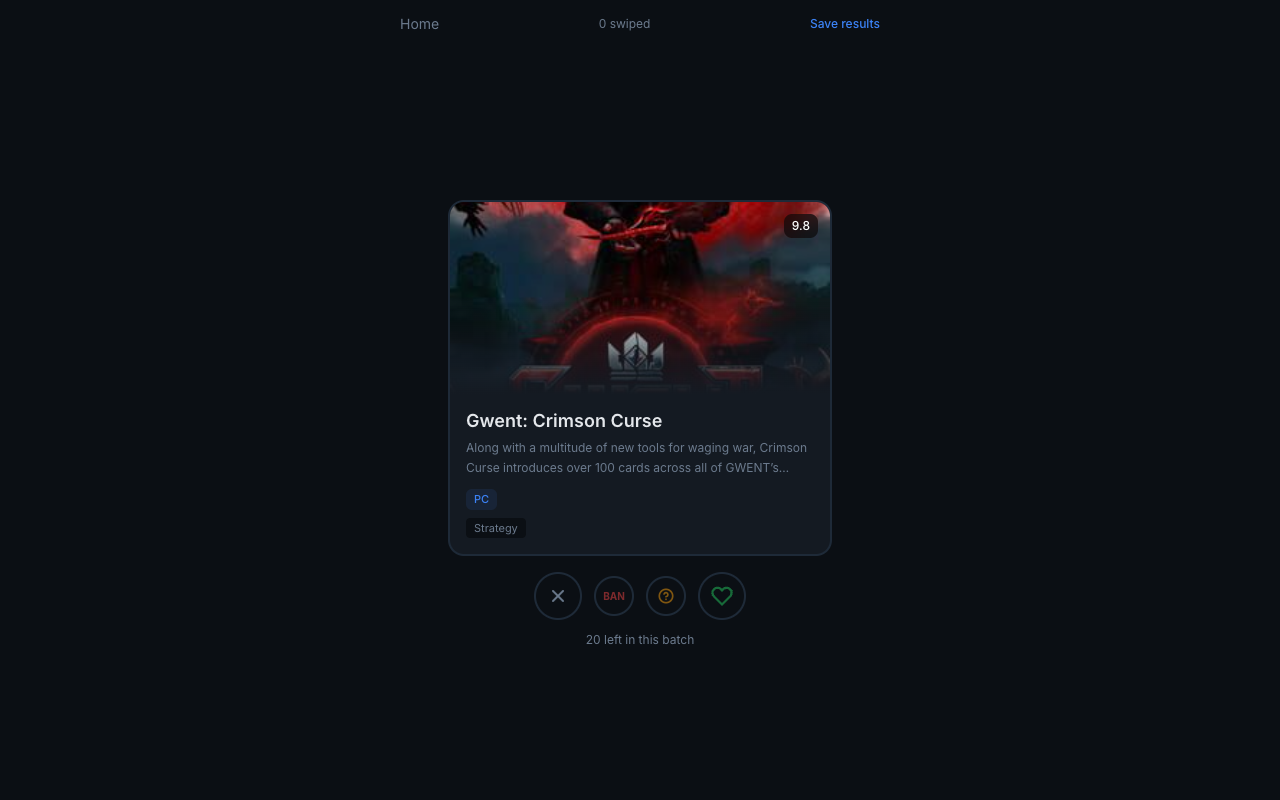
Once a few people have swiped, the board shows a ranked list of matches. A game only ranks high when the whole group wants it and everyone can actually run it together, platforms and crossplay included. No spreadsheet, no poll that half the group ignores. Swiping works where polls fail because nobody has to see anyone else's votes before casting their own.
If you want to see the swiping part before creating anything, there's a try mode that needs no account, no email, nothing. Swipe through some games, see how it feels, and your swipes can carry over if you sign up later.
The catalogue
Behind the swiping is a database of 6,100+ games across PC, PS5, Xbox, and Nintendo Switch, including 1,300+ multiplayer titles. Every game carries platform availability, ratings, genres, and release dates.
The crossplay data is the part we spend the most time on. Crossplay is not a yes or no property of a game, it works per platform pair. A game can support PC and Xbox together but not PC and PS5, and store pages rarely spell that out. We track it pair by pair, which is also what powers the standalone crossplay checker.
You can browse the catalogue without an account, including a filtered list of free multiplayer games for groups that don't want to buy anything tonight.
Streamer Mode
Boards were built for friend groups, but streamers kept asking for a version where chat picks the game. So boards now have a Streamer Mode toggle. Flip it and you get a public voting link to drop in chat. Viewers swipe with no signup, and the results update live on a leaderboard you can add straight into OBS as a browser source.
Streamer boards can also include single player games, since "what should I play on stream" is usually a solo question. There's a full write-up of Streamer Mode if you want the setup steps.
The Discord bot
Most gaming groups already live in Discord, so PickThe.Games works there too. The bot adds slash commands for starting votes and checking results without leaving your server, and there's an embedded Activity so the group can swipe together in a voice channel. The invite link is on the Discord page of the site.
What it costs
Nothing, for everything described above. Boards, swiping, crossplay checking, Streamer Mode, and the Discord bot are all free. There's an optional subscription that removes ads, and that's the whole business model. No locked features, no trial that expires.
Where to start
The fastest way to understand it is to use it. Open pickthe.games/try and swipe through a few games, no account needed. If it clicks, create a board, send the link to your group, and see what floats to the top. The next "what should we play?" in your group chat gets a much shorter answer.
Contact Info:
Name: PickTheGames
Email: Send Email
Organization: PickTheGames
Website: https://pickthe.games/
Release ID: 89197017
Should there be any problems, inaccuracies, or doubts arising from the content provided in this press release that require attention or if a press release needs to be taken down, we urge you to notify us immediately by contacting error@releasecontact.com (it is important to note that this email is the authorized channel for such matters, sending multiple emails to multiple addresses does not necessarily help expedite your request). Our efficient team will promptly address your concerns within 8 hours, taking necessary steps to rectify identified issues or assist with the removal process. Providing accurate and dependable information is central to our commitment.