DBF Viewer 2000 v9.24 Adds Record Range Support to Command Line
By:
Get News
July 13, 2026 at 11:08 AM EDT
ⓘ This article is third-party content and does not represent the views of this site. We make no guarantees regarding its accuracy or completeness.
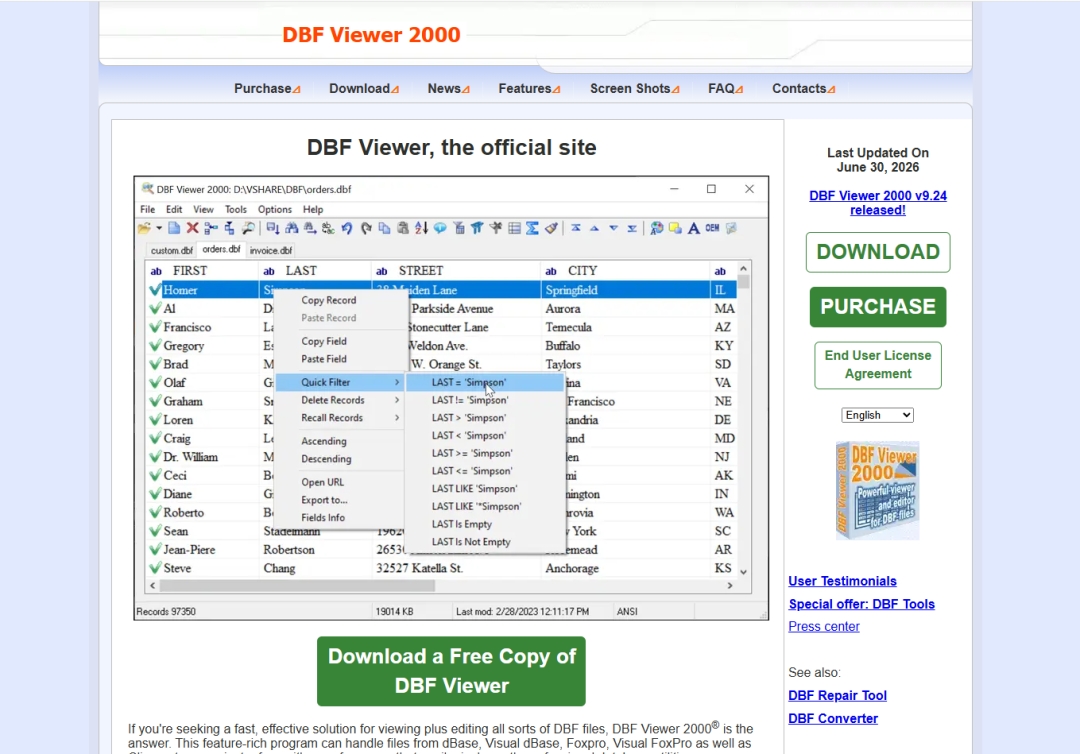 DBF Viewer 2000 v9.24 Adds Record Range Support to Command Line Generation HiBase Group has released DBF Viewer 2000 v9.24, a new version of its DBF viewer, editor, and file management software for Windows. This update adds the ability to generate a command line with a specified range of records, making it easier for users to prepare repeatable DBF operations when working with only a selected part of a table. A Practical Update for DBF Automation DBF files are still used in many business, government, accounting, research, and legacy software environments. In these cases, users often need to export, review, clean, or convert only a specific group of records rather than process an entire database file. DBF Viewer 2000 v9.24 addresses that everyday need by giving users more control when creating command line instructions. The new record range option is especially useful for developers, database administrators, data analysts, and technical users who build scripts around recurring DBF tasks. Instead of manually adjusting a workflow or preparing a full file for every operation, users can generate a command line that focuses on the required section of data. This can help when testing exports, preparing partial datasets, splitting large tables, or automating routine maintenance. Designed for Legacy and Modern Workflows DBF Viewer 2000 supports DBF files created in widely used xBase formats, including dBase, Visual dBase, FoxPro, Visual FoxPro, and Clipper. The program allows users to open, view, edit, sort, filter, search, modify, and export DBF data through a visual interface. It also supports command-line automation for users who need faster or repeatable processing outside the main interface. The software does not require external database engines, ODBC drivers, or separate database management systems. This makes it convenient for users who need direct access to DBF files on local Windows computers. DBF Viewer 2000 can be used for quick inspection of old database files, ongoing data cleanup, archive review, migration preparation, and scheduled export tasks. Export and Maintenance Tools In addition to the new command-line range-generation feature, DBF Viewer 2000 includes tools for editing DBF structure, working with memo fields, removing duplicate records, recovering deleted records, importing data, and exporting DBF content to many common formats. Supported export formats include CSV, TXT, HTML, XML, JSON, XLS, XLSX, SQL, and scripts for MS SQL, MySQL, Oracle, and PostgreSQL. Version 9.24 also includes other minor improvements, continuing the product’s regular update cycle. For users who work with DBF data every week, the release adds a small but useful improvement that reduces manual steps and makes command-line workflows easier to repeat. Availability DBF Viewer 2000 v9.24 is now available on the official product website. Users can download the trial version, review the latest release notes, and purchase a license. About HiBase Group Company develops database management and administration solutions for more than 20 years now. The product portfolio of the company includes DBF Viewer 2000, and a number of database conversion tools such as DBF Recovery, Advanced CSV Converter, Advanced XLS Converter and DBF Converter. Media Contact
Report this content
If you believe this article contains misleading, harmful, or spam content, please let us know. Report this articleMore NewsView More
One Platform, Every Ailment: Hinge Health's Gamble ↗
Today 7:35 EDT
Via MarketBeat
Tickers
HNGE

Via MarketBeat
Tickers
RARE

Youdao Q2 Earnings Call Highlights ↗
Today 7:02 EDT

Hays H2 Earnings Call Highlights ↗
Today 6:02 EDT
Via MarketBeat
Topics
Earnings
Recent QuotesView More
Stock Quote API & Stock News API supplied by www.cloudquote.io
Quotes delayed at least 20 minutes. By accessing this page, you agree to the Privacy Policy and Terms Of Service.
© 2025 FinancialContent. All rights reserved.
|