Passwords are still widely used, but a password alone can leave an account exposed if it is stolen, reused, or captured through phishing. Verizon’s 2025 Data Breach Investigations Report found that compromised credentials were used as an initial access vector in 22% of the breaches it analyzed.
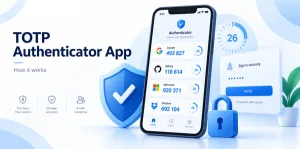
A TOTP authenticator app adds another verification step. Instead of receiving a code by SMS, you open an application that generates a temporary code directly on your device. These codes usually refresh about every 30 seconds.
In simple terms: a TOTP authenticator app creates short-lived login codes using a secret key and the current time. The website and your phone calculate the same code independently, so your phone usually does not need internet access to generate it.
What Is a TOTP Authenticator App?
A TOTP authenticator app generates Time-Based One-Time Passwords for compatible accounts. TOTP is standardized in RFC 6238 and is based on the HOTP one-time-password algorithm.
So, what is TOTP in practice? It is a login method where a secret cryptographic key and the current time are used to produce a temporary verification code. A typical login looks like this:
- Enter your username and password.
- Open your TOTP authenticator app.
- Find the correct account.
- Enter the displayed code before it expires.
Because TOTP is widely supported, one application can often manage codes for many different websites and services.
How Does a TOTP Authenticator App Work?
When you enable TOTP-based two-factor authentication, the service creates a unique secret key. That secret is transferred to your TOTP authenticator app, usually through a QR code, while the server keeps its own copy.
From then on, both sides use the same secret and the current time to calculate matching values.
Shared secret + current time = temporary authentication code
RFC 6238 represents this process as TOTP = HOTP(K, T), where K is the secret key and T is a value derived from Unix time. The standard recommends a default time step of 30 seconds.
That is why a TOTP code changes constantly while the secret itself stays the same. If someone sees one temporary code, it normally becomes useless after a short period. This also explains why an incorrect device clock can cause valid-looking codes to be rejected.
How to Set Up TOTP Authentication With a QR Code
Most services make setup straightforward through QR code authentication.
Step 1: Open the account security settings
Sign in to the service you want to protect and look for Security, Two-Step Verification, Two-Factor Authentication, MFA, or Authenticator Setup.
Step 2: Choose an authenticator-based method
Select the option for an authenticator application or time-based one-time passwords. The service will normally display a QR code.
Step 3: Add the account to your app
If you do not already have one installed, download authenticator app that supports TOTP. Open the app and choose an option such as Add account or Scan QR code.
Step 4: Scan and verify
Scan the QR code shown by the service. The QR code normally contains sensitive enrollment information, including the secret used to generate future codes, so do not post or share screenshots of it.
Your app will begin generating codes. Enter the current code once on the website to confirm setup.
TOTP vs SMS OTP: What Is the Difference?
Both methods add a second login step, but they deliver codes differently.
| Feature | TOTP | SMS OTP |
| Code generation | On device | Sent by mobile network |
| Internet needed to generate code | Usually no | Network required |
| Dependent on phone number | No | Yes |
| SIM-related risk | Not directly | Potentially |
| Standardized algorithm | RFC 6238 | Varies |
A TOTP authenticator app avoids dependence on SMS delivery and can work without cellular reception. However, both manually entered TOTP and SMS codes can still be stolen through real-time phishing.
Why TOTP Improves Account Security
The biggest benefit of TOTP is that stealing your password may no longer be enough to access your account.
Passwords can be exposed through database leaks, credential stuffing, password reuse, malware, or phishing. With TOTP enabled, an attacker also needs a valid temporary authentication value.
Key advantages include:
- Short-lived codes: Captured codes quickly expire.
- Offline generation: Codes can usually be created without internet access.
- No SMS dependency: You are not relying on text-message delivery.
- Multi-account support: One app can protect many compatible services.
This makes a TOTP authenticator app a practical upgrade from password-only security.
Is TOTP Completely Secure?
No. TOTP is useful, but it is not fully phishing-resistant.
NIST notes that OTP authenticators requiring users to manually enter a code are not phishing-resistant. A fake login page can potentially collect both a password and a current code, then immediately forward them to the real service while the code is still valid.
For example, an attacker may send a fake security email, direct you to a convincing login page, collect your password, ask for your temporary code, and relay both credentials in real time.
That is why users should still check website domains carefully and avoid entering credentials after following suspicious links. For higher-value accounts, passkeys or FIDO2/WebAuthn security keys may provide stronger phishing resistance where supported.
TOTP is best viewed as a strong improvement over passwords alone, not a complete defense against every attack.
How to Choose a TOTP Authenticator App
The underlying TOTP standard means you are often free to choose among several compatible apps. When evaluating an authenticator app, consider:
Secure backup and recovery
Losing your phone can become a major problem if your TOTP secrets exist only on that device. Look for a clear backup, export, or recovery process.
Encryption
If the app synchronizes or backs up authentication secrets, review how that data is protected.
Biometric or device protection
Face ID, fingerprint authentication, or an app lock can add another barrier before codes are displayed.
Migration support
A good app should make moving to a new phone manageable without forcing you to reconfigure every account manually.
Privacy and permissions
Review the developer, privacy policy, requested permissions, and storage model before choosing a security application.
The best two factor authentication app is not necessarily the one with the most features. It is the one that gives you a secure and understandable way to protect, transfer, and recover your authentication data.
How to Use TOTP Safely and Avoid Lockouts
Good account management matters just as much as installing the app.
Protect your phone. Use a strong device passcode and biometric protection where appropriate.
Save recovery codes. Many services provide backup codes when 2FA is enabled. Store them somewhere secure and separate from the phone running your TOTP app.
Protect setup QR codes. A QR code may contain the secret needed to generate future values. Someone who obtains it could potentially create matching codes on another device.
Never share temporary codes. Legitimate support teams generally should not need the current number displayed in your application.
Prepare before changing phones. Recovery may depend on backup codes, synchronized data, another registered method, a hardware security key, or identity verification from the service provider.
Do not assume reinstalling the app will automatically restore every account. Restoration depends on whether the underlying TOTP secrets were securely backed up or synchronized.
Common TOTP Problems and Fixes
The code is always rejected
Check your phone’s date and time. Because TOTP depends on time, significant clock differences can generate mismatched codes. Automatic date and time usually prevents this problem.
The code expired while I was typing
Wait for the next code and try again. RFC 6238 recommends a 30-second time step, although implementations can vary.
I changed phones and my accounts disappeared
Your authentication secrets were probably not transferred. Use the app’s migration feature, a backup, recovery codes, or the service’s account-recovery process.
I deleted an account from the app
Deleting an entry from your phone does not necessarily disable 2FA on the website. You may need a recovery method to regain access.
Frequently Asked Questions
What does TOTP mean?
TOTP means Time-Based One-Time Password. It generates temporary login values using a shared secret and the current time.
Does TOTP require internet access?
Normally, no. Once configured, a TOTP authenticator app can calculate codes locally. Internet access is still required to connect to the website you are signing into.
How long does a TOTP code last?
RFC 6238 recommends a default 30-second time step, although individual services may use different settings.
Is TOTP the same as OTP?
TOTP is a type of OTP authentication. TOTP changes according to time, while HOTP changes according to an event counter.
Is TOTP better than SMS authentication?
TOTP avoids SMS delivery and some telecom-related risks. However, both methods can still be vulnerable to real-time phishing when users manually enter codes.
Can I use one TOTP app for multiple accounts?
Yes. One TOTP authenticator app can usually store credentials for many compatible websites, with a separate secret for each account.
Conclusion
A TOTP authenticator app adds an important security layer by generating temporary codes from a shared secret and the current time. Codes change frequently, work offline in most cases, and do not depend on SMS delivery.
TOTP is standardized through RFC 6238, easy to set up with QR codes, and supported by many online services. Its main limitation is that manually entered codes are not fully phishing-resistant.
For everyday account protection, a strong setup can be summarized as:
Unique password + TOTP + secure recovery + phishing awareness
For higher-risk accounts, consider passkeys or hardware security keys where available. Used correctly, a TOTP authenticator app remains one of the most practical ways to move beyond password-only protection.
Sources and References
- RFC Editor — RFC 6238: TOTP: Time-Based One-Time Password Algorithm
Defines TOTP, its relationship to HOTP, and the recommended 30-second default time step. - National Institute of Standards and Technology — NIST SP 800-63B
Explains OTP authenticator requirements and why manually entered OTP authentication is not phishing-resistant. - Verizon — 2025 Data Breach Investigations Report research
Reported that compromised credentials represented an initial access vector in 22% of breaches analyzed.