As visual content becomes central to e-commerce, social media, digital advertising, and corporate communications, the demand for polished images is rising faster than many teams can expand their creative capacity. The traditional editing process can require specialized software, considerable technical skill, and multiple rounds of review. Artificial intelligence is changing that equation.
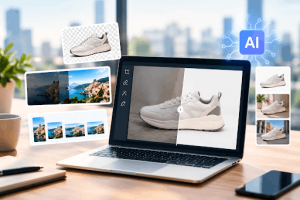
AI-powered editing tools can now handle a growing share of repetitive, time-consuming image tasks in seconds. For small businesses, marketing teams, online sellers, and independent creators, the value is not simply speed. It is the ability to produce more consistent visual assets, respond to market opportunities faster, and reserve human creative effort for decisions that genuinely need judgment.
Here are 10 practical ways AI can make image editing faster while supporting a more efficient content workflow.
1. Remove Backgrounds for Product Images
One of the most common image-editing tasks is separating a product or subject from its background. Traditionally, this involved manually tracing edges with selection tools, especially when working with hair, clothing, transparent materials, or intricate product details.
AI background-removal tools can identify the primary subject and create a clean cutout almost instantly. This is especially useful for e-commerce stores that need consistent product photos for marketplaces, catalogs, ads, and landing pages.
A retailer can upload a batch of images, remove inconsistent backgrounds, and place each product on a white, branded, or seasonal backdrop. That can reduce the time required to prepare a product launch and make visual standards easier to maintain across channels.
2. Turn Ordinary Photos Into Campaign-Ready Images
Not every team has the budget or schedule for a full-scale photoshoot. AI image editors can help transform a basic photo into a more usable creative asset by adjusting the setting, lighting, framing, or visual style.
For example, a restaurant may take a quick photograph of a new menu item and use AI to improve the presentation, replace a distracting background, or create multiple ad-ready compositions. A real estate agent can improve room brightness and correct minor visual distractions before publishing a listing.
An AI image editor can accelerate these refinements while allowing teams to preserve the core subject and message of the original image. The strongest results still depend on good source photography, but AI can substantially reduce the amount of polishing needed before publication.
3. Resize Images for Every Channel
A single marketing campaign may need images for a website banner, a social post, an email header, an online store, a display advertisement, and a presentation. Simply cropping the same image to different dimensions often removes the most important visual elements.
AI-assisted resizing can recognize the main subject and intelligently reframe an image for different aspect ratios. Instead of manually creating every variation, a marketing team can generate versions that better fit vertical stories, square social posts, wide banners, and product thumbnails.
This matters because content performance often depends on context. An image that works in a desktop advertisement may not work on a mobile screen. Faster resizing gives teams more freedom to test formats without slowing down the campaign process.
4. Improve Low-Resolution Images
Older photos, customer-submitted images, and screenshots often lack enough resolution for modern digital displays. AI upscaling tools can increase image dimensions while attempting to preserve edges, textures, and important details.
This can be valuable for businesses refreshing archived content, preparing visual materials for large screens, or reusing older assets in new campaigns. A local business may have a strong photograph from an earlier event but no longer have access to the original high-resolution file. AI enhancement can make that image more viable for a website or printed promotional material.
Users should review upscaled results carefully. AI-generated detail may not always be accurate, particularly in text, logos, or highly detailed product features. Still, for many general marketing visuals, enhancement can extend the useful life of an existing image library.
5. Clean Up Distracting Elements
A great photo can lose impact because of small problems: an unwanted sign in the background, an errant cable, a stray object on a table, or a passerby behind the subject. Manual retouching can take time, particularly when the background contains complex patterns.
AI object-removal tools make this process faster by filling the selected area with surrounding visual information. For businesses that publish a high volume of content, this can eliminate many small bottlenecks from the editing queue.
The key is to use these tools responsibly. Editing should improve clarity and presentation, not mislead viewers about products, properties, events, or people. For commercial images, the goal should be a cleaner visual, not a false representation.
6. Create Consistent Brand Visuals
Brand consistency is often difficult for small teams. Images may come from different cameras, photographers, lighting conditions, and locations. AI can help normalize color temperature, brightness, contrast, and overall visual treatment.
A company can establish a preferred look for its images, then apply similar adjustments across a large batch of photographs. This does not replace a brand guide or creative direction, but it helps turn those guidelines into a repeatable process.
Consistency is valuable in financial terms as well as creative terms. Stronger recognition can improve the efficiency of marketing spend because audiences learn to identify a brand’s visual language more quickly. When every social post or product image looks unrelated, the business may lose some of that cumulative brand value.
7. Generate Multiple Creative Variations
Marketing teams often need several versions of the same idea. They may test a seasonal background, alternate headline placement, different color treatments, or product compositions for separate audience groups.
AI can speed up the creation of these variations. Rather than building every option from scratch, designers can use an original image as a starting point and generate controlled alternatives. A fashion retailer, for instance, may explore several backdrop styles for one product image before choosing the version that best fits a campaign.
This approach supports faster testing, but it should not remove creative oversight. The best use of AI is to expand the number of viable options available to the team, then let human judgment determine which version is on-brand, accurate, and commercially effective.
8. Prepare Social Content From One Source Image
A single visual asset can support a much broader content strategy when it is repurposed efficiently. AI can help crop a product image for a post, create a close-up for a story, remove the background for a graphic, and adapt the image for a promotional announcement.
For organizations with lean marketing teams, this can reduce the gap between an idea and a complete social-media package. Instead of treating each platform as a separate production project, teams can build a workflow around a central image and AI-assisted derivatives.
The benefit is not just output volume. Faster repurposing gives businesses more room to react to customer questions, seasonal events, product updates, and market trends while the topic is still timely.
9. Add Motion to Static Images
Static images remain essential, but short-form video and animated content increasingly command attention across social platforms and digital ads. AI tools are making it easier to create simple motion from a still image, such as camera movement, animated backgrounds, or subtle subject motion.
This can help businesses turn a product photo, campaign image, or illustration into a more dynamic asset without beginning with a full video production. For teams exploring this format, an image to video AI workflow can offer a fast way to experiment with motion-based creative concepts.
The best results tend to be short and purposeful. A little movement can draw attention to a product or message; excessive effects can distract from it. Brands should also make sure any generated motion remains appropriate to the original image and does not create misleading claims.
10. Build a Faster Review-and-Approval Workflow
The most effective use of AI is not a single editing feature. It is integrating AI into a clear workflow. A practical process might begin with a source image, use AI for background removal and light enhancement, create several channel-specific versions, and then send the final candidates for human review.
This system can reduce repetitive work while keeping approval, legal, brand, and quality-control decisions with the people responsible for them. It also creates a more predictable production cycle, which is important when marketing calendars are tight.
Businesses should establish a few simple rules before scaling AI editing: retain original files, disclose edits when disclosure is appropriate, verify product details and text, protect customer privacy, and obtain rights for any image used as source material. These safeguards help ensure that faster production does not come at the expense of trust.
The Bottom Line
AI image editing is becoming a practical productivity tool for organizations of every size. It can reduce routine production time, help teams create more versions of an asset, and make professional-looking visual content more accessible.
The strongest opportunity is not to automate creativity away. It is to remove the repetitive parts of image preparation so designers, marketers, and business owners can focus on strategy, storytelling, and quality. As visual expectations continue to rise, companies that build thoughtful AI-assisted workflows may be better positioned to publish faster, test more effectively, and maintain a consistent presence across the channels where customers make decisions.